
Every document your household runs on, in one place.
Leases, warranties, insurance policies, titles and deeds, utility bills, manuals, receipts. Dropped or scanned in, read on your Mac, filed into your own folders — and findable the day you actually need one.
How do you organize household documents on a Mac?
ShabuBox is a document management app for Mac built for exactly this pile. Drag in the PDFs — a lease, a policy renewal, an appliance warranty — or scan the paper ones, and on-device AI reads every page with Apple Vision OCR, works out what each document is, extracts its dates, amounts, and the companies and people named on it, renames the file from its contents, and files it into the folders you already keep. Afterwards ⌘K finds any word on any page, and you can ask a question and get an answer with citations to the source. Everything stays on your Mac, as ordinary files in ordinary folders.
The drawer you can actually search.
Household paper is the hardest kind to organize, because it arrives one sheet at a time over years and you only ever need it in a hurry.
Empty the drawer into it
Drag in whatever is already on your Mac, and scan the rest: ScanSnap over USB, any eSCL / AirScan network scanner, or a watched scan-to-folder for anything else. Long paper mode runs the scanner to its full length so a full-page receipt or a legal-size lease comes through whole, and pages are deskewed, cropped, and auto-rotated on the way in.
It reads what each one is
Apple Vision OCR reads every page on-device, including photographed receipts. Document-type identification separates a contract from a statement from an invoice, dates and currency amounts are extracted, and GLiNER2 pulls out the people, organizations, places, and postal addresses named on the page — so the landlord, the insurer, and the property are all known to the app.
It files into your folders, not its own
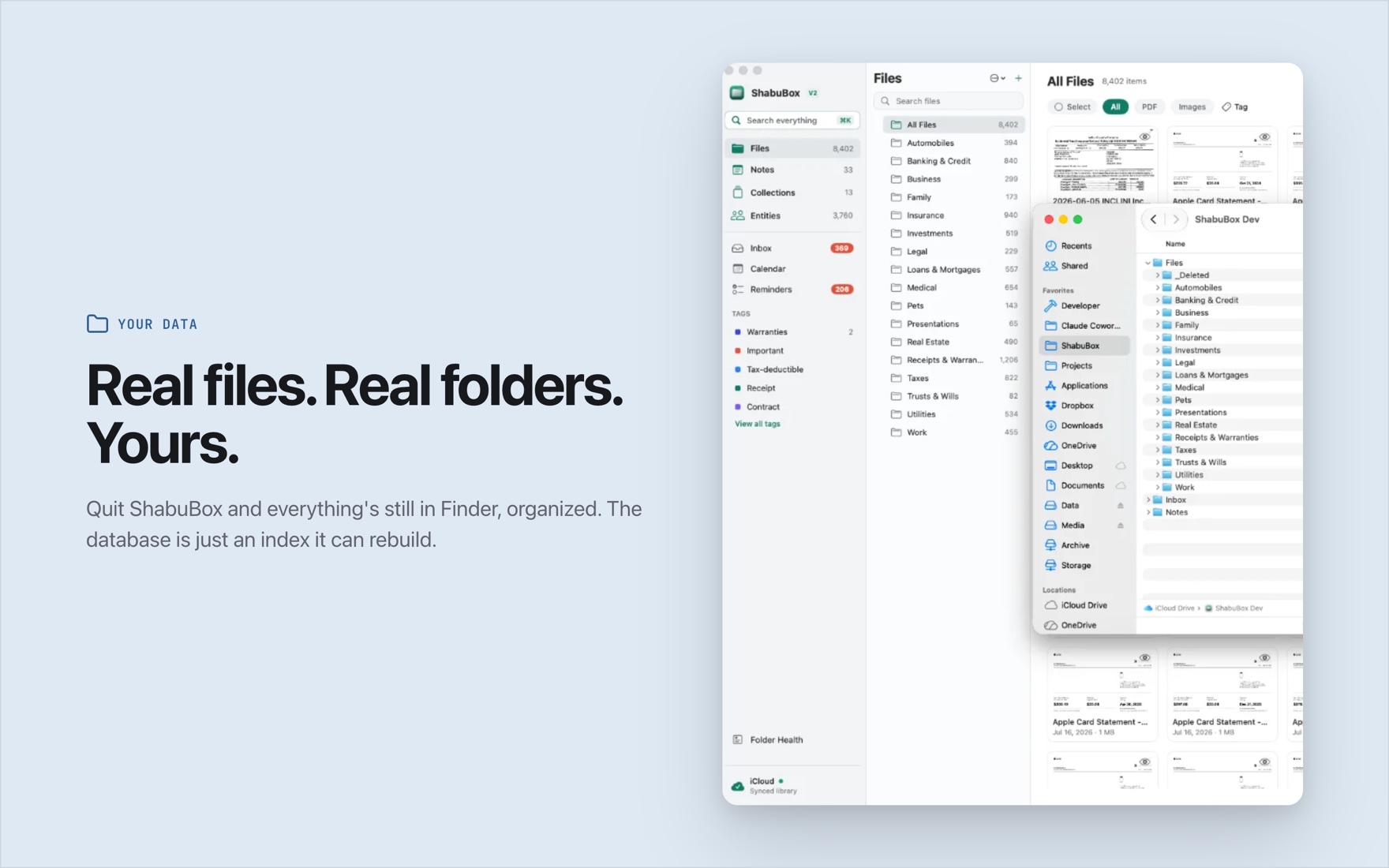
There is no proprietary library. The auto-filer learns the folder structure you already have and puts new documents where you would have put them — filing when confident, suggesting when close, abstaining when unsure. Finder tags you’d already applied come along on the way in, and Folder Health keeps a running list of what’s misfiled, unfiled, or duplicated.
Find it the day it matters
⌘K searches every OCR’d word across files, notes, entities, collections, and reminders — so “what does the lease say about the deposit” is a search, not an afternoon. Or ask the question outright and get an answer where every claim carries an [n] citation to the exact passage, with the source a click away.
The documents a household accumulates.
- Leases, rental agreements, and move-in inspections.
- Deeds, titles, and closing documents.
- Home, auto, and renters insurance policies.
- Appliance warranties, manuals, and service records.
- Utility bills — electricity, water, gas, internet.
- Contractor estimates, invoices, and permits.
- Vehicle registrations and maintenance receipts.
- Big-purchase receipts kept for the warranty period.
Make the drawer yours. Custom fields add your own per-type fields — "Policy number" on insurance, "Expires" on a warranty — and filtering to a type turns the list into a sortable table with a column for each. Reminders sync with Apple Reminders so a renewal doesn’t sneak past you, notes hold the context that isn’t printed on the page, and favorites keep the handful you reach for constantly pinned to the top.
Your address, your policies, your bank details — kept at home.
Household documents carry account numbers, addresses, and signatures. None of it is uploaded: OCR, document understanding, entity extraction, and chat all run on your Mac, and there is no account anywhere holding your data. Disconnect from the network and importing, reading, filing, and searching still work. Optional iCloud Drive sync is off by default and uses your own iCloud account when you turn it on.
Nothing is locked in. Your documents stay as ordinary files in ordinary folders you can open in Finder, move, or back up like anything else. ShabuBox’s database is only an index over them and can be rebuilt at any time — so the organization survives the app.
Common questions about home documents
Do I have to reorganize my folders to use it?
No — that’s the point. The auto-filer learns the folder structure you already have and files new documents the same way you have been filing them, so there are no rules to write and no migration to do. Your documents stay as ordinary files in ordinary folders on your own disk.
Can I find a warranty by what it says rather than its filename?
Yes. Every OCR’d word of every page goes into a full-text index, so you can search a model number, a serial, or a phrase from the terms. ⌘K searches across files, scanned text, notes, entities, collections, and reminders in one palette.
Will it remind me before a policy renews?
You can set reminders on documents and they sync with Apple Reminders, so the nudge shows up where you already look. Dates printed on documents are extracted and can be viewed on a calendar, and you can add your own date fields per document type — but you choose which reminders to set; the app doesn’t create them for you.
Is there an iPhone or iPad app, or cloud access?
No. ShabuBox is a Mac app — macOS 26 on Apple Silicon — with no companion mobile app and no web access. There’s optional iCloud Drive sync, off by default, which uses your own iCloud Drive under your own Apple account.
What happens to my files if I stop using ShabuBox?
They stay exactly where they are. There’s no proprietary format and no export step needed: the documents are ordinary files in ordinary folders, already named from their contents and filed where you’d expect. The app’s index is the only thing that goes away.
Turn the drawer into something searchable.
Every feature free for 30 days. Then $24.99, once — no subscription, no account, nothing that renews.
Also see: Taxes · Freelance paperwork · Medical bills & EOBs